



Websites rarely fail overnight. Rankings slip quietly. Traffic thins out. Leads slow down. Many owners blame algorithms, competitors, or content quality. But the real issue often sits in plain sight: the mobile experience. If your site looks clean on desktop yet struggles on a phone, you may be weakening your SEO without realizing it through hidden technical SEO issues.
Mobile browsing now dominates how people search, compare, and buy. Multiple industry studies consistently show that well over half of global web traffic comes from mobile devices, and in many industries, mobile searches exceed desktop usage. Search engines adapted to this shift years ago. Still, confusion remains.
Is mobile friendliness a ranking factor?
Does it directly boost positions?
Or is it simply a technical recommendation?
Let’s remove the ambiguity and explain exactly how this works.
Is Mobile Friendliness a Ranking Factor?
Yes, mobile friendliness influences rankings, but not as a simple “boost button.”
Google evaluates ranking signals collectively rather than in isolation, alongside other on-page factors. Mobile usability is one of those signals. A mobile-friendly site does not automatically climb to the top of search results. However, a poor mobile experience can significantly weaken visibility, especially since mobile-first indexing became Google’s default indexing method.
In practical terms:
Good mobile UX helps protect rankings
Bad mobile UX can erode visibility
That distinction is more important than many site owners realize.
What Google Actually Says About Mobile Friendliness
Google’s Search Central documentation clarifies that mobile usability is part of the broader page experience framework. It is treated as a ranking signal not a standalone ranking system.
Important nuances often overlooked:
- Mobile friendliness is a ranking signal, not a ranking system
- Content relevance and quality remain dominant factors
- Usability issues can reduce competitive performance
Google’s systems aim to reward pages that satisfy users. When visitors struggle with readability, navigation, or interaction on mobile devices, engagement frequently declines. Over time, that deterioration often correlates with weaker rankings.
Mobile-First Indexing Explained (Without Jargon)
Mobile-first indexing means Google primarily uses the mobile version of your pages for indexing and ranking evaluation.
Desktop content is not ignored. The mobile version simply becomes the reference point.
If your desktop experience is excellent but your mobile layout is broken or incomplete, Google evaluates the weaker version first.
Key implications:
- Missing mobile content → indexing inconsistencies
- Slow mobile pages → degraded page experience signals
- Broken layouts → usability problems
In SEO audits, this mismatch is a frequent cause of unexplained ranking declines.
How Mobile Friendliness Impacts Rankings (Real Mechanisms)
Mobile friendliness affects SEO through several interconnected pathways. It directly influences search ranking factors 2026 across both technical and content layers.
1 Crawlability & Indexing
Search engines must properly render and interpret pages. Mobile configurations that hide content, block resources, or introduce rendering errors can disrupt indexing.
Common risks:
- Blocked CSS or JavaScript
- Mobile-hidden content
- Faulty redirects
These issues impair how crawlers understand page structure and relevance.
2 Page Experience Signals
Mobile usability contributes to page experience evaluation. If text is unreadable, buttons overlap, or layouts shift unpredictably, user satisfaction declines.
While this may not trigger direct penalties, it weakens competitive positioning.
3 Core Web Vitals (Mobile)
Performance metrics often deteriorate on mobile networks. Delays, layout instability, and sluggish interactivity directly affect Core Web Vitals.
Poor mobile CWV scores are commonly observed in sites experiencing gradual ranking drops. Often linked to unresolved page speed issues.
4 Engagement & Behavior
Users abandon frustrating mobile pages quickly. Elevated bounce rates frequently follow poor usability and many wonder whether bounce rate signals influence rankings
Although behavioral metrics are complex, sustained usability friction consistently aligns with weaker SEO outcomes.
5 Accessibility & Readability
Small fonts, cramped layouts, and difficult tap targets reduce content consumption. Google’s quality systems favor pages that users can engage with comfortably.
Can a Non-Mobile-Friendly Site Still Rank?
Yes, but usually under limited conditions.
High-authority pages with exceptionally strong relevance may maintain rankings temporarily despite mobile flaws. In competitive SERPs, this advantage rarely lasts.
Why rankings often decline later:
- Competitors deliver better mobile UX
- Engagement metrics weaken
- Page experience signals degrade
Mobile usability has become a defensive necessity rather than an optional enhancement.
Mobile Friendliness vs Mobile Page Speed
These factors overlap but serve different roles.
| Factor | Focus | SEO Impact |
| Mobile Friendliness | Layout, usability, readability | Influences page experience & engagement |
| Mobile Page Speed | Loading & performance | Affects Core Web Vitals & UX satisfaction |
A responsive site can still be slow.
A fast site can still be difficult to use.
Strong SEO performance requires both usability and speed.
Signs Your Mobile Experience Is Hurting SEO
Issues rarely present as obvious errors. Instead, indirect symptoms emerge:
- Ranking declines (especially mobile results)
- High mobile bounce rate
- Low mobile engagement metrics
- Poor Core Web Vitals scores
- Search Console usability warnings
These signals often reveal deeper UX or performance problems. These signals often indicate deeper issues best uncovered through a comprehensive SEO audit.
How to Test Mobile Friendliness (Step-by-Step)
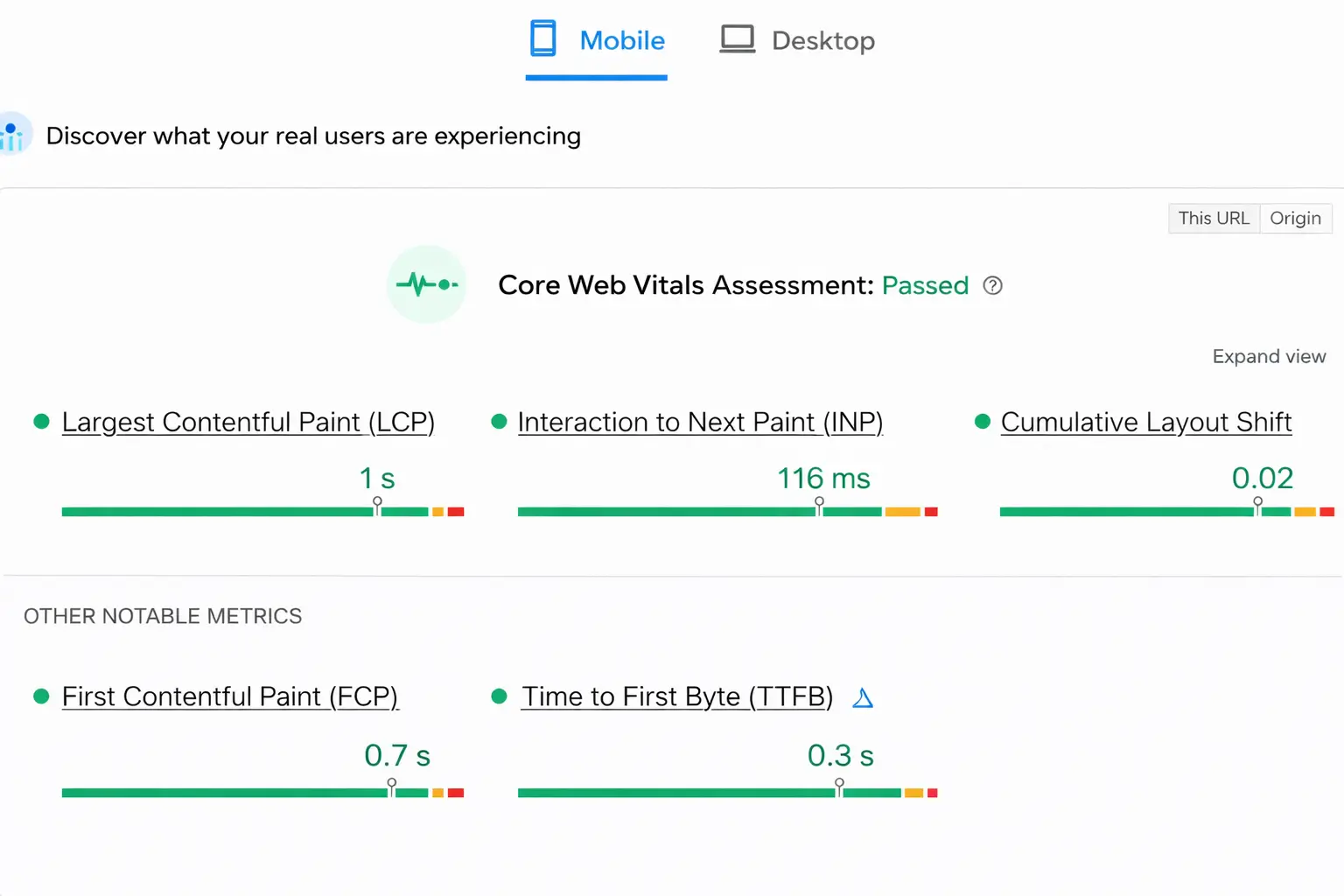
Mobile-Friendly Test
Provides a usability verdict and highlights viewport or interaction issues.
PageSpeed Insights (Mobile Tab)
Evaluate:
- Largest Contentful Paint (LCP)
- Interaction to Next Paint (INP)
- Cumulative Layout Shift (CLS)
Core Web Vitals Report
Identifies URLs failing real-world performance thresholds.
Manual User Testing
Still one of the most revealing methods:
Can text be read easily?
Are buttons accessible?
Does layout remain stable?
How to Fix Mobile Friendliness Issues
Responsive Design
Recommended for consistency and crawl efficiency.
Improve Readability
- Increase font size
- Add spacing
- Simplify dense text
Fix Tap Targets
Ensure comfortable interaction.
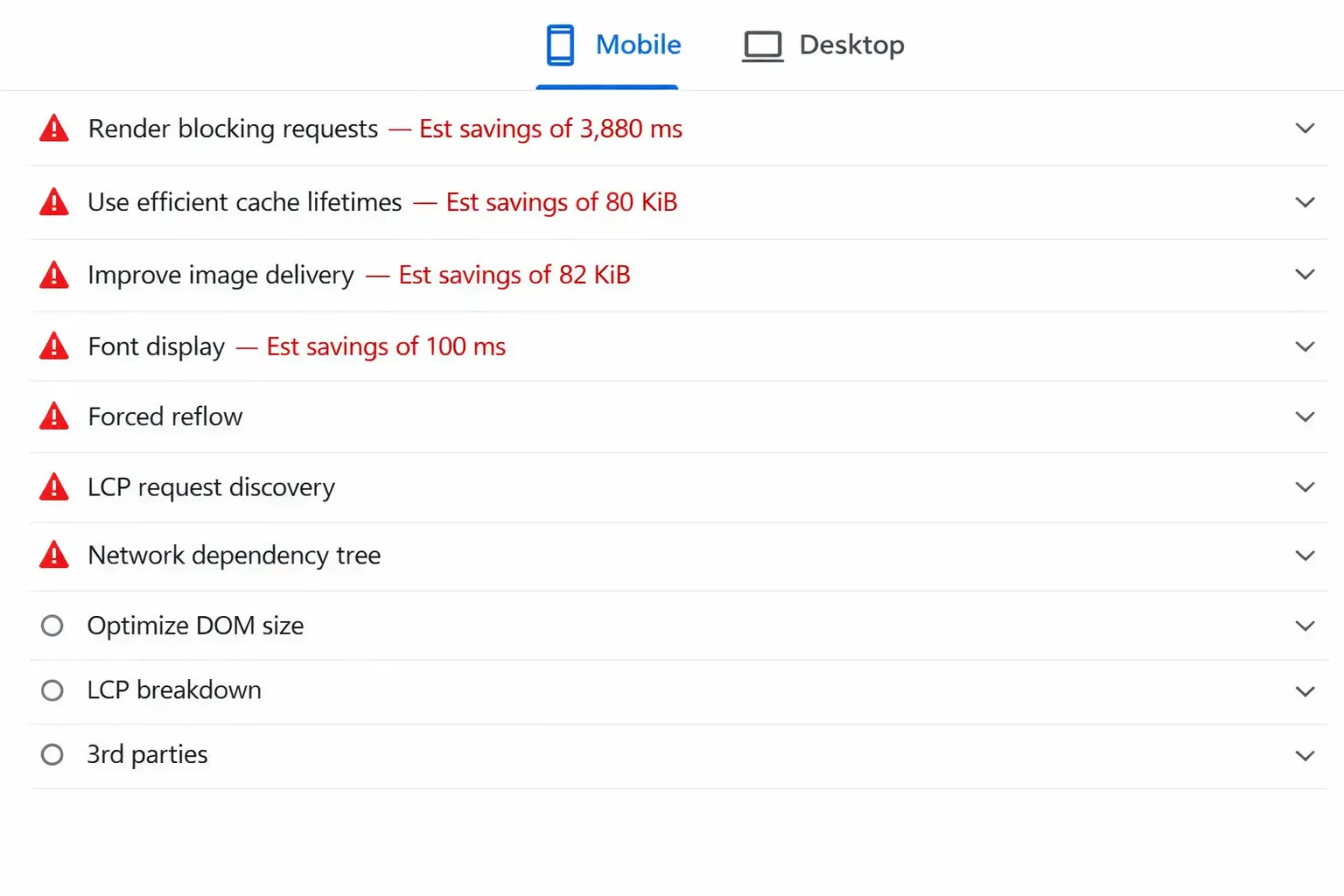
Optimize Images
Compress large assets affecting mobile load time.
Enhance Speed
- Reduce unnecessary scripts
- Improve caching
- Optimize server response
Mobile networks amplify performance weaknesses. Responsive frameworks align with modern technical SEO best practices
Mobile UX & Conversion Rates (Business Impact)
Mobile usability directly affects revenue, not just rankings.
Example from SEO consulting work:
An eCommerce site maintained stable traffic but experienced declining conversions. Desktop performance remained strong. Mobile conversions fell sharply. For online stores, mobile usability issues can severely impact revenue, making eCommerce SEO strategy critical.
Audit findings:
- Slow product pages
- Checkout interaction issues
- Readability friction
After mobile UX and performance optimization:
- Bounce rate decreased
- Conversions improved
- Rankings stabilized
Better usability improves both visibility and profitability.
Common Mobile SEO Myths (Debunked)
Myth: Mobile-friendly sites automatically rank higher
Reality: Relevance and authority still dominate
Myth: Desktop optimization is sufficient
Reality: Mobile-first indexing changed evaluation priorities
Myth: Speed alone solves mobile SEO
Reality: Fast but unusable layouts still harm UX
FAQ: Mobile Friendliness & Rankings
1 Is mobile-friendliness a ranking factor in Google’s algorithm?
Yes. Google has confirmed mobile-friendliness as a ranking signal. It doesn’t act as a guaranteed ranking boost, but poor mobile usability can weaken visibility. Since mobile-first indexing is standard, Google primarily evaluates the mobile version of your pages when determining rankings.
2 Does a mobile-friendly site automatically rank higher?
No. Mobile friendliness alone will not push a page to the top. Content relevance, quality, and authority remain stronger ranking influences. However, a non-mobile-friendly site may struggle to compete, especially when rivals provide a smoother mobile experience.
3 Can my website rank if it isn’t mobile-friendly?
It can, but often temporarily. Strong backlinks or highly relevant content may offset usability flaws for a while. Over time, weaker engagement, higher bounce rates, and poorer page experience signals typically reduce ranking stability.
4 What happens if my mobile version differs from desktop?
Google indexes and evaluates the mobile version first. Missing content, structured data, or internal links on mobile can create indexing inconsistencies and ranking losses. Maintaining parity between desktop and mobile content is critical for SEO performance.
5 Is mobile page speed the same as mobile friendliness?
No. Mobile friendliness relates to layout, readability, and usability. Page speed measures loading performance. A responsive design can still load slowly, and a fast page can still be difficult to use. Strong SEO requires both usability and performance optimization.
6 What is a ranking factor in Google Search?
A ranking factor is a measurable signal Google uses to evaluate and order pages in search results. Examples include content relevance, page experience, mobile usability, and performance metrics. No single factor dominates; rankings depend on combined signals.
7 What are Google’s most important ranking factors?
Google emphasizes content relevance, quality, and user satisfaction. Technical signals like mobile usability, page speed, and Core Web Vitals support these priorities. Rather than chasing one factor, sustainable SEO focuses on delivering valuable content with strong usability and performance.
8 Which issues commonly hurt mobile SEO performance?
Frequent problems include unreadable text, overlapping elements, slow load times, layout instability, intrusive interstitials, and blocked resources. These issues frustrate users, degrade engagement metrics, and weaken page experience evaluations often leading to gradual ranking declines.
Conclusion & SEO Action Plan
Mobile friendliness is no longer secondary.
It is not a dramatic ranking booster. It is a foundational requirement for SEO stability.
Priorities:
- Fix broken mobile layouts
- Improve readability and navigation
- Optimize mobile speed
- Monitor Core Web Vitals
- Test regularly on real devices
Search engines reward pages that users can engage with effortlessly. Modern users expect smooth mobile experiences. Align with both, and rankings follow more naturally.
Ignoring mobile usability introduces avoidable SEO risk even when content quality is strong. If rankings continue slipping, consider consulting an SEO consulting expert for deeper analysis
