


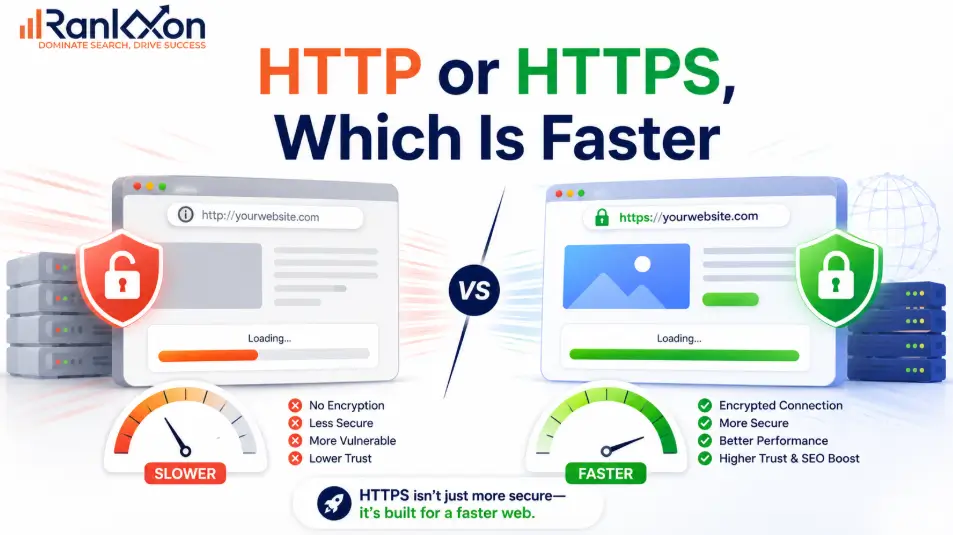
Most people think HTTPS is slower because it adds encryption. That used to make sense.
But today, that answer is incomplete.
A plain HTTP page may look lighter on paper, but modern HTTPS can load faster when it uses HTTP/2, HTTP/3, proper caching, compression, and a CDN. The real speed difference is not just HTTP vs HTTPS. It depends on how your server, SSL certificate, browser, and website resources are configured.
So if your site still runs on HTTP because you’re afraid HTTPS will slow it down, you may be protecting the wrong thing.
This guide explains which one is actually faster, when HTTPS can beat HTTP, and what setup mistakes can make a secure website feel slow.
HTTP Is Faster in Theory, HTTPS Is Better in Real Browsing
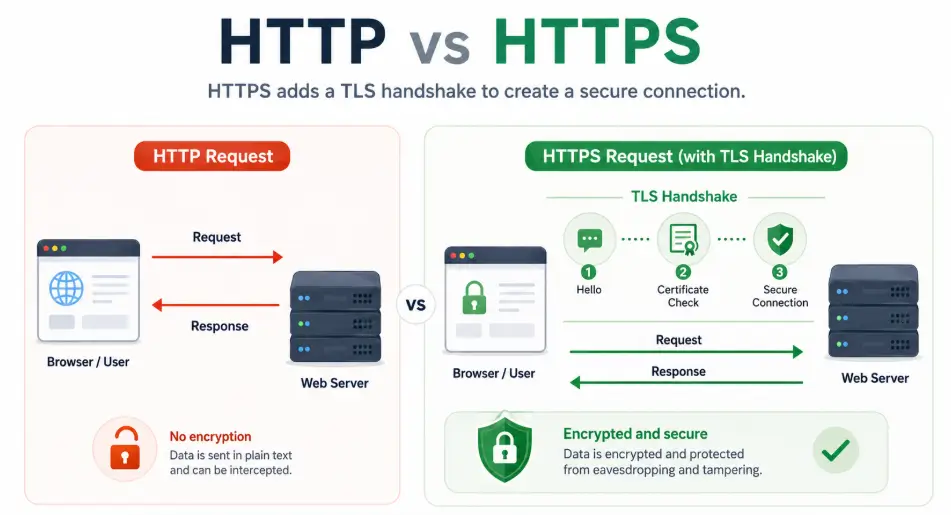
HTTP is technically faster for a single request because it does not need encryption setup. HTTPS adds a TLS handshake before data transfer, so it has a small upfront cost.
But that answer is incomplete. Modern websites are not judged by one isolated request. In real browsing, HTTPS often performs better because browsers commonly use HTTP/2 and HTTP/3 over secure connections. These newer protocols can load several assets more efficiently, reduce repeated connection overhead, and improve how page resources are delivered.
For users and SEO, the practical answer is clear. Use HTTPS. Then make it fast with proper redirects, caching, HTTP/2 or HTTP/3, CDN support, compressed assets, and clean technical SEO.
Why Plain HTTP Can Win in a Tiny Test
HTTP does not encrypt the connection. The browser sends a request, the server responds, and the data moves in plain text. That makes the first connection simpler.
HTTPS adds TLS. Before the browser and server exchange page data, they confirm identity, agree on encryption details, and create a secure session. This step protects the user, but it can add a small delay at the start of the connection.
That is why developers sometimes say HTTP is faster. In a lab test where one small file is loaded once, HTTP may finish first. The problem is that this test does not represent how most websites work.
Real pages do not load one file. They load many resources. They reuse connections. They cache assets. They often run through CDNs. They may use modern protocols. They have redirects, scripts, fonts, and third party requests. Once all of that is included, the basic HTTP vs HTTPS theory becomes less useful.
Why HTTPS Often Loads Faster on Modern Websites
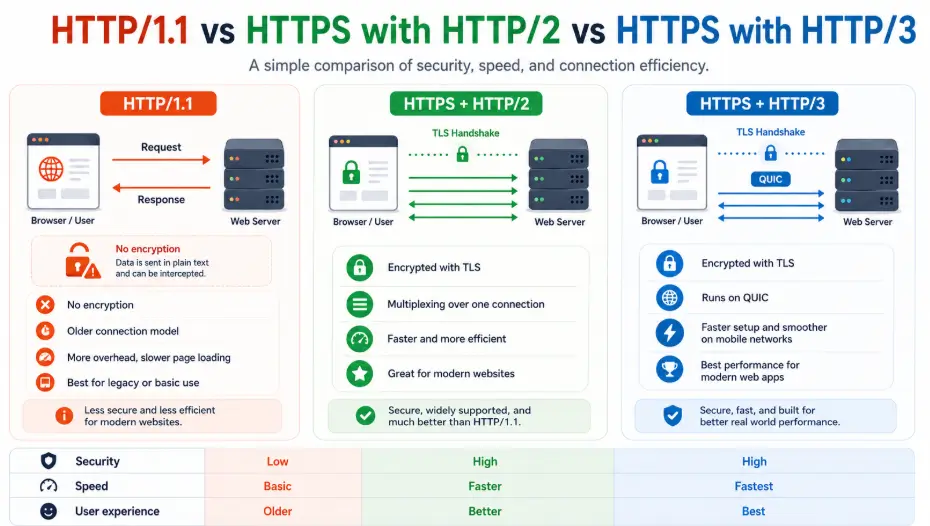
HTTPS can feel faster in real use because it is the normal path to modern browser performance. Most major browsers support HTTP/2 over secure connections. HTTP/2 improves how page assets are transferred compared with older HTTP/1.1.
The biggest advantage is multiplexing. Instead of opening many separate connections or waiting in line for one request to finish before another moves properly, HTTP/2 can send multiple requests over one connection. It also compresses headers and uses a binary format, which can reduce waste during repeated requests.
HTTP/3 can improve this further by using QUIC instead of traditional TCP. That can reduce connection delays and improve performance on unstable networks. Again, the win is not because encryption itself is faster. The win comes from the modern protocol stack that usually arrives with HTTPS.
This is the nuance most articles miss: HTTPS is not faster because security adds speed. HTTPS is faster in many real cases because modern browsers, CDNs, and web servers give secure sites access to newer delivery methods.
HTTP vs HTTPS Speed Comparison Table
| Scenario | Which can be faster? | Why it happens | SEO decision |
| Single tiny request in a lab | HTTP | No TLS handshake. | Not a good reason to use HTTP. |
| Modern website using HTTP/2 | HTTPS | Multiplexing and header compression can improve delivery. | Use HTTPS. |
| Modern website using HTTP/3 | HTTPS | QUIC can reduce connection delay on some networks. | Use HTTPS and test results. |
| Poor HTTPS setup with redirect chains | HTTP may feel faster | Bad redirects add delay before the page loads. | Fix the migration. Do not return to HTTP. |
| HTTPS with CDN and caching | HTTPS | TLS can terminate closer to the user and cached assets load faster. | Best practical setup. |
| Expired or misconfigured SSL | Neither | Users see warnings or blocked pages. | Fix immediately. |
Where HTTPS Can Become Slower
HTTPS usually becomes slow because of setup mistakes, not because HTTPS is bad. The most common problem is redirect waste. If a page moves from http://example.com to http://www.example.com to https://www.example.com, every extra step adds time before the browser gets the final page.
Another issue is mixed content. This happens when the page loads on HTTPS but images, scripts, CSS, fonts, or iframes still use HTTP. Browsers may block those resources or show warnings. That can hurt trust, layout, and speed. For a deeper fix, read Rankxon’s mixed content guide.
HTTPS can also feel slow when the server is weak, the certificate chain is poorly configured, caching is missing, images are heavy, JavaScript blocks rendering, or the site forces browsers to download the same assets again and again.
So the right question is not, should I remove HTTPS to make the site faster? The right question is, what part of my HTTPS setup is wasting time?
Does HTTPS Help SEO and Page Experience?
Yes, HTTPS matters for SEO, but do not oversell it. Google has used HTTPS as a ranking signal for years, but it is not stronger than content quality, relevance, links, intent match, or user satisfaction. It is better understood as a trust and page experience baseline.
Google’s own page experience guidance asks whether pages are served in a secure fashion. That means HTTPS is part of the experience users and search engines expect from a modern website.
The real SEO value comes from clean implementation. Google should see one preferred HTTPS version of every important page. Your canonical tags, sitemap URLs, internal links, redirects, hreflang tags, and structured data URLs should all point to the secure version.
If you want the full SEO view, read Rankxon’s HTTPS SEO impact guide. If you are choosing certificates for a client site, the SSL types guide explains which certificate fits each website type.
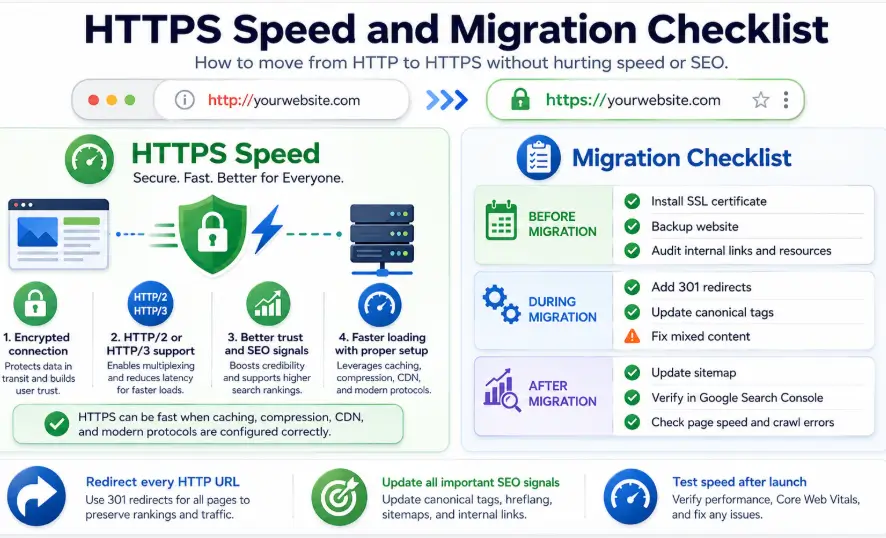
How to Make HTTPS Fast After Migration
A fast HTTPS website is not created by installing a certificate alone. The certificate only secures the connection. Performance comes from the full setup around it.
- Use one direct 301 redirect from every HTTP URL to its final HTTPS URL.
- Remove redirect chains between non www, www, HTTP, and HTTPS versions.
- Enable HTTP/2 or HTTP/3 on your server or CDN where available.
- Turn on caching for static assets such as images, CSS, JavaScript, and fonts.
- Compress images and serve next generation formats where possible.
- Use lazy loading for images below the fold.
- Preload important fonts carefully, but avoid overusing preload.
- Fix mixed content across templates, theme files, plugins, and page builders.
- Update internal links so they point straight to HTTPS, not through redirects.
- Submit the HTTPS sitemap in Google Search Console and monitor indexing.
If the site recently moved from HTTP to HTTPS, follow a proper HTTPS migration process. A messy migration can cause ranking drops, duplicate URL signals, crawl waste, and slow page loads.
HTTP vs HTTPS, Security, Ports, and Full Form
HTTP stands for Hypertext Transfer Protocol. HTTPS stands for Hypertext Transfer Protocol Secure. The word secure is the key difference. HTTPS uses TLS to encrypt the connection between the browser and the server.
| Point | HTTP | HTTPS |
| Full form | Hypertext Transfer Protocol | Hypertext Transfer Protocol Secure |
| Default port | 80 | 443 |
| Encryption | No encryption | Encrypted with TLS |
| Browser trust | May show not secure warning | Shows secure connection when valid |
| Data safety | Data can be exposed in transit | Data is protected in transit |
| SEO value | Not recommended for modern sites | Supports trust and page experience |
| Modern protocol support | Limited for browser use | Common path for HTTP/2 and HTTP/3 |
One more point: people still say SSL certificate, but modern websites use TLS. SSL is the older name that stayed in common marketing language. When someone says SSL certificate today, they usually mean a certificate used for HTTPS with TLS.
When Should You Still Use HTTPS?
Use HTTPS on every serious website. That includes blogs, local business sites, ecommerce stores, SaaS websites, agency sites, law firm websites, healthcare pages, lead generation sites, and any page with forms, logins, payments, or user data.
Even if your site does not collect payments, HTTPS still protects users and removes trust problems. A contact form, newsletter form, quote request, booking page, analytics tag, or login area is enough reason to use HTTPS.
For SEO clients, the better recommendation is simple: do not debate HTTP vs HTTPS like it is 2010. Use HTTPS, then test performance properly with PageSpeed Insights, Chrome DevTools, WebPageTest, server logs, Search Console, and real user data when available.
FAQs About HTTP vs HTTPS Speed
Is HTTP or HTTPS faster?
HTTP can be faster for one isolated request because it skips the TLS handshake. HTTPS is usually better for real websites because it supports modern secure browsing, HTTP/2, HTTP/3, trust, and SEO requirements.
Does HTTPS slow down a website?
HTTPS adds a small connection cost, but on modern servers the cost is usually small. Slow HTTPS performance is usually caused by bad redirects, weak hosting, poor caching, heavy assets, or mixed content.
Is HTTPS faster than HTTP/1.1?
HTTPS with HTTP/2 or HTTP/3 can outperform old HTTP/1.1 because newer protocols handle multiple page resources more efficiently. The speed gain comes from the protocol, not from encryption itself.
What is replacing SSL?
TLS replaced SSL. People still say SSL certificate because the phrase is common, but modern secure websites use TLS for encrypted HTTPS connections.
Is HTTP port 80 or 443?
HTTP normally uses port 80. HTTPS normally uses port 443. These are default ports, though custom server setups can use other ports.
Is it safe to set up an email account without SSL?
No, it is not a good idea. Email accounts should use encrypted settings so login details and messages are not exposed during transmission.
Does HTTPS improve Google rankings?
HTTPS is a lightweight ranking signal and part of a good page experience, but it is not a ranking shortcut. Strong content, relevance, technical quality, links, and user satisfaction still matter more.
Can changing from HTTP to HTTPS hurt SEO?
The move itself should help trust, but a poor migration can hurt SEO. Bad redirects, wrong canonicals, HTTP sitemap URLs, broken internal links, and mixed content can cause problems.
Final Verdict for Website Owners
If you only measure one request in a lab, HTTP may look faster. If you measure a real modern website, HTTPS is the smarter choice. It gives users security, gives browsers access to modern protocol performance, supports SEO trust signals, and avoids the not secure warnings that damage confidence.
The best answer is not HTTP or HTTPS in isolation. The best answer is fast HTTPS. Use a clean certificate setup, one direct redirect path, HTTP/2 or HTTP/3, caching, compressed assets, fixed mixed content, and consistent HTTPS URLs across your site.
That is the version Google, users, and AI systems can understand and trust.
Research Sources Used
AWS, What is the difference between HTTP and HTTPS?
Stack Overflow, HTTP vs HTTPS performance
F5, Stop. Just Stop. HTTPS is not faster than HTTP
KeyCDN, Analyzing HTTPS Performance Overhead
