

What Is Google Lighthouse Tool (And How to Fix Your Low Score Fast)
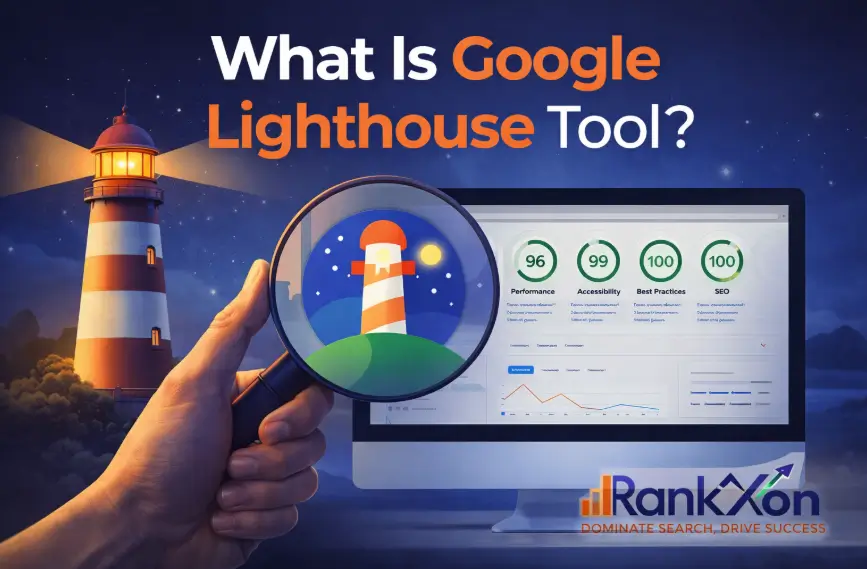
Your website might look perfect, but if it loads slowly or breaks on mobile, users leave within seconds. This is exactly why factors like page speed impact and mobile usability directly affect your rankings. Most people run Google Lighthouse, see a low score, and then get stuck. They don’t know what to fix or where to start. That’s the real problem. This guide fixes that. You won’t just learn what Lighthouse is. You’ll understand what actually matters, what to ignore, and what to fix first. By the end, you’ll have a clear action plan instead of guessing. What Is Google Lighthouse Tool (Simple Explanation) Google Lighthouse is a free tool by Google that checks your website quality. It runs automated tests and gives you a report with scores and issues that affect speed, SEO, and user experience. But here’s what most people miss. Lighthouse is not just a scoring tool. It’s a diagnostic tool. It shows where your site is slowing down and what is causing it. That’s why developers, SEOs, and even business owners use it to improve performance. What Google Lighthouse Actually Checks (And Why It Matters) Lighthouse breaks your website into four main areas. Each one connects directly to how users experience your site. Category What It Checks Why It Matters Performance Page speed and loading time Slow sites lose visitors and rankings Accessibility Usability for all users Helps reach more people and improves UX Best Practices Security and coding quality Prevents errors and trust issues SEO Basic search optimization Helps search engines understand your site Out of all these, performance matters the most first. If your site is slow, nothing else really helps because users leave before interacting. Slow loading often increases bounce, which can indirectly affect engagement signals like user exit behavior. That’s why the next section matters. Why Your Lighthouse Score Is Low (Most Common Reasons) Most websites fail for the same reasons. Once you understand them, fixing your score becomes much easier. The first issue is large images. For example, a homepage hero image that is 2MB can delay loading by several seconds. Another major problem is heavy JavaScript. If scripts load before your content, your page appears blank even though it is technically loading. Slow hosting is another hidden issue. Even a well-designed site feels slow if the server response time is poor. Technical issues like these are usually uncovered during a proper technical SEO audit. Finally, layout shifts happen when elements move while loading. This usually happens when image sizes or ads are not properly defined. Now that you know the causes, the next step is knowing what to fix first. Fix Your Lighthouse Score Fast (Priority Order) If your score is low, don’t try to fix everything at once. Follow this order. Fix Largest Contentful PaintFocus on your main visible content. Usually this is a large image or banner loading too slowly. Fix Cumulative Layout ShiftStop elements from jumping around. Set proper width and height for images and avoid late loading elements. Reduce JavaScript BlockingDelay or remove unnecessary scripts. Too many scripts block your page from becoming interactive. Remove Unused CSS and CodeClean up extra code that your site does not need. This reduces load time quickly. This simple order saves time and gives faster results. What Is a Good Lighthouse Score (And What You Can Ignore) Many beginners think they need a perfect score. That’s not true. A score above 90 is strong, but even 70 to 90 can perform well if key issues are fixed. More important than the score is what is causing the score. Some warnings in Lighthouse look serious but have little real impact. For example: Minor accessibility suggestions Low impact diagnostics Focus on speed, stability, and user experience first. These elements also connect with how Google evaluates on page signals. Not perfection. How to Use Google Lighthouse (Step by Step) Using Lighthouse is simple. Open your website in Chrome. Right click and select inspect. Then go to the Lighthouse tab and click generate report. You can also use the Chrome extension if you want a quicker option. Within seconds, you’ll get a full report. But running the test is the easy part. Understanding it is where most people struggle. How to Read a Lighthouse Report (Without Confusion) The report may look complex, but it follows a simple pattern. At the top, you see your scores. Below that, you see opportunities and diagnostics. Focus on opportunities first. These are high impact fixes. For example: “Properly size images” means your images are too large “Eliminate render blocking resources” means scripts are delaying content Ignore smaller warnings at the start. Fixing a few major issues can improve your score quickly. How to Improve Your Lighthouse Score (Action Plan) Now let’s connect everything into action. Fix Largest Contentful Paint If your LCP is slow, your main content is loading late. This usually happens because: Your hero image is too large Your server is slow Compress images and improve hosting to fix this. Server response and secure delivery also depend on proper https implementation. Fix Cumulative Layout Shift If your page jumps while loading, users get frustrated. This happens when: Images don’t have fixed dimensions Elements load late Set proper sizes and avoid layout changes. Reduce Total Blocking Time If your site feels stuck while loading, scripts are blocking it. Remove unused scripts and delay non essential ones. Optimize Images and Code Compress images, use modern formats, and remove unused code. These small changes often give big improvements. Fix Your Score in 15 Minutes (Quick Wins) If you want fast results, start here: Compress large images Enable caching Remove unused plugins Use a faster hosting plan These quick fixes often improve your score without deep technical work. Lighthouse vs PageSpeed Insights (Which One Should You Use) Many users get confused here. Lighthouse gives lab data. It tests your site in a controlled environment. PageSpeed Insights shows real user data along with lab data. Use Lighthouse to find problems.
The Real Impact of HTTPS on SEO: How Secure Websites Improve Rankings and Trust
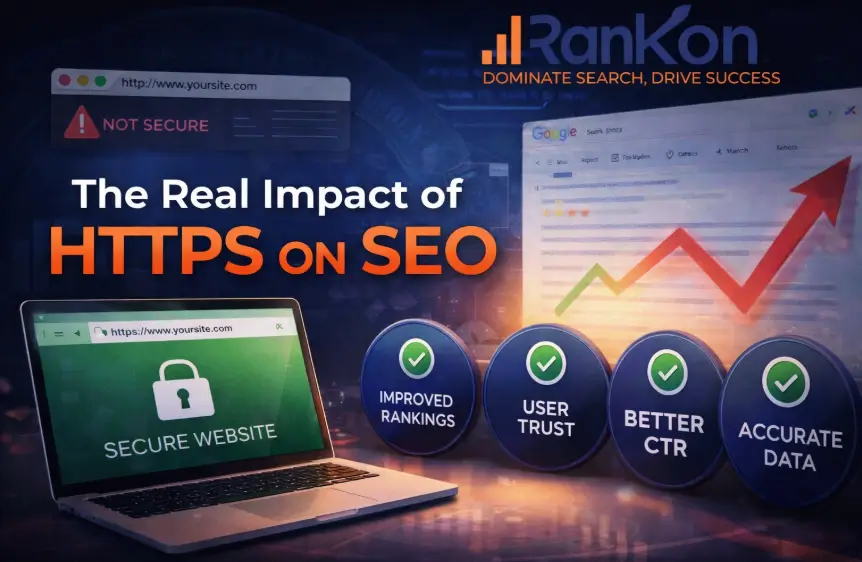
A visitor lands on your website and the browser shows “Not Secure.”Most people do not read the page after that warning. They close the tab. Search engines notice this behavior. When users leave quickly, rankings often follow. That is why HTTPS moved from a technical option to a basic SEO requirement. Many site owners still ask the same question.Does HTTPS really affect search rankings or is it only about security? The answer is simple but often misunderstood. HTTPS alone will not push a weak page to the top of Google. But without it, your website starts at a disadvantage. Trust signals drop. Browsers warn visitors. Analytics becomes messy. In competitive niches, those small factors decide who ranks and who disappears. This guide explains the real impact of HTTPS on SEO. You will see how it affects rankings, when migration can hurt traffic, and how to switch safely without damaging your search performance. Google’s Official Position on HTTPS Google publicly confirmed HTTPS as a ranking signal in 2014 through its Search Central blog. The announcement explained that secure connections help protect user privacy and make the web safer. Over the years Google strengthened this direction. 2018Google Chrome started marking HTTP pages as “Not Secure.” 2021Google introduced the Page Experience update, which reinforced safe browsing and secure connections as part of user experience signals. Today more than 95 percent of pages loaded in Chrome use HTTPS, according to Google transparency reports. This shows how quickly secure browsing has become the standard across the web. Does HTTPS Affect SEO Rankings Google confirmed years ago that HTTPS is a ranking signal.It is not a powerful ranking factor like content quality or backlinks. Still, it matters. HTTPS is still one of many ranking signals that search engines evaluate when comparing similar pages. Think of HTTPS as a tie breaker. When two pages are similar in quality, the secure page often wins the higher position. There is another layer many people ignore. HTTPS improves signals that influence rankings indirectly. These include: User trustClick through rateTime on pageReduced bounce rate A page that feels secure keeps visitors longer. Search engines also evaluate user behavior signals when measuring content quality. .Google Search Central documentation also explains that secure browsing helps build a safer ecosystem for users, which is why Google encourages every website to adopt HTTPS. Why Google Prefers HTTPS Websites Search engines want to protect users. That is the main reason HTTPS became standard. When a website uses HTTPS, the connection between the browser and server is encrypted using TLS (Transport Layer Security). This prevents attackers from stealing sensitive information such as login data or payment details. Google has made its position clear for years.Secure browsing should be the default across the web. There are also practical reasons behind this preference. Browsers like Chrome now label HTTP pages as unsafe. That warning damages credibility before a visitor even reads the content. From an SEO perspective, this leads to a chain reaction: Visitors hesitate to continue.Engagement drops.Behavior signals weaken.Rankings slowly follow. HTTP vs HTTPS: What Changes for SEO Many beginners assume HTTPS only adds a padlock icon. In reality, several technical and behavioral factors change after switching. The table below shows the main differences. Factor HTTP Website HTTPS Website Security Data sent in plain text Data encrypted between browser and server Browser Trust Often marked “Not Secure” Secure padlock shown Ranking Signal No advantage Small ranking signal Referral Data Often lost in analytics Referral data preserved User Trust Lower confidence Higher credibility The difference might look small on paper. In real search results, trust and security influence user behavior, which directly affects SEO performance. Real SEO Benefits of HTTPS HTTPS is not only about protection. It also improves several signals that help websites grow in search results. Small Ranking Advantage Google treats HTTPS as a lightweight ranking signal.It will not rescue weak content, but it helps secure pages compete more fairly. Higher User Trust Visitors feel safer interacting with secure websites.This increases the chance they will explore more pages. Better Click Through Rate When users see the padlock symbol in the browser, they feel comfortable opening the page. Higher click rates often lead to stronger visibility over time. Accurate Referral Data HTTP websites frequently lose referral information in analytics tools.HTTPS preserves that data, which helps marketers measure traffic sources more accurately. A deeper technical analysis often reveals how secure connections influence search visibility. HTTPS and Modern Web Performance Secure websites can also benefit from modern web protocols. Technologies such as HTTP/2 and HTTP/3 require HTTPS to function in most browsers. These protocols improve how resources are delivered across the network. Improving page speed signals remains an important part of modern search optimization. Benefits include: Faster page loadingImproved resource prioritizationBetter mobile performance Because page speed and performance influence user experience signals, HTTPS indirectly supports modern SEO performance metrics such as Core Web Vitals. Does Switching to HTTPS Improve Rankings Immediately Many people expect an instant ranking boost after installing an SSL certificate. That rarely happens. In most cases, rankings remain stable after migration.Sometimes traffic drops temporarily because search engines need time to reindex the secure version. The real improvements appear gradually. When visitors trust the site more, engagement improves.Search engines then interpret those signals as positive user experience. Over time, those improvements can strengthen rankings. What Happens After an HTTPS Migration Search engines need time to process the migration and consolidate signals. Time After Migration What Typically Happens First few days Search engines crawl the HTTPS version 1 to 3 weeks Rankings may fluctuate 1 to 2 months Signals stabilize and indexing improves These fluctuations are normal during a sitewide protocol change. When HTTPS Migration Can Hurt SEO HTTPS migration is safe when done correctly.If handled poorly, it can damage rankings. The most common problem is redirect mistakes. When HTTP pages do not properly redirect to HTTPS, search engines treat them as separate pages. This creates duplicate content and splits ranking signals. Another common issue is mixed content. This
Does Domain Age Affect SEO in 2026? What Actually Moves Rankings
You launched the site. You wrote useful content. You optimized pages properly. Still nothing moves. Then someone says, “It’s because your domain is new.” That explanation feels comforting because it shifts responsibility away from strategy. But comfort and accuracy are different things. In 2026, blaming domain age is one of the most expensive SEO misunderstandings website owners still make. If you run a serious website whether it’s a blog, affiliate site, SaaS platform, or local business, you need to understand what Google evaluates and what it ignores. Domain age sounds powerful. In reality, it’s mostly a byproduct of something else. Serious businesses need a structured SEO growth strategy instead of relying on myths like domain age. Let’s break it down correctly. What Domain Age Really Means (And Why Most People Misinterpret It) Domain age usually refers to how long a domain has been registered. Some people measure it from the first registration date. Others measure it from when Google first indexed content. These are not the same. A domain registered in 2016 but unused until 2025 is technically old. To Google, however, its meaningful history starts when valuable content and user signals begin. Search systems evaluate activity, link patterns, topical depth, and engagement supported by solid technical foundations. They do not reward calendar years. This distinction connects directly to everything that follows. If age alone mattered, expired domains with no content would dominate search results. They don’t. Is Domain Age a Direct Google Ranking Factor in 2026? Public statements from Google representatives over the years have consistently clarified that domain age by itself is not a ranking factor. For example, Google’s John Mueller has explicitly stated that domain age “helps nothing” in rankings, as covered by Search Engine Journal. There is no algorithmic boost applied just because a domain is older. So why do older websites appear to rank more often? Because older domains usually accumulate advantages over time: Larger backlink authority Broader topical coverage Stronger brand searches Consistent publishing history Technical refinements People confuse correlation with causation. Age does not create rankings. Accumulated signals create rankings. Strong on-page optimization ensures those signals are interpreted correctly by search systems. This is where most competitor articles stop. We’re going deeper. Why Older Domains Often Perform Better (Without Age Being the Cause) Older websites tend to benefit from compound SEO growth. Over time, they build layers of trust signals. New domains start at zero. Here’s a simplified comparison to make it clear: Factor New Domain 8+ Year Domain Backlink Profile Limited or none Built gradually over time Topical Authority Narrow Expanded across related themes Brand Searches Low Increasing and recurring Crawl Frequency Irregular Established crawling patterns Trust Signals Minimal history Consistent user interaction history Technical Refinement Early stage Iteratively improved Notice something important. None of these are “age.” They are signals built during time. Time itself does nothing without strategy. Sustainable backlink acquisition is what compounds authority over years. This directly connects to the next question most new site owners ask. Does Google Sandbox New Domains? There is no confirmed “sandbox penalty.” What happens instead is a data collection phase. When a new domain launches, it has: No backlink validation No engagement data No topical depth No trust footprint Google’s systems test it cautiously. Rankings may fluctuate while signals stabilize. Running a structured SEO audit process early helps identify gaps before they slow growth. That feels like suppression, but it’s simply evaluation. When content earns links, builds clusters, and satisfies search intent, visibility improves. This is why blaming age delays progress. The real issue is signal velocity. Domain Age vs. Authority vs. Trust: Understanding the Difference Domain age is time. Domain authority is a third-party metric estimating link strength. Trust in search systems comes from consistent signals across content, links, user behavior, and technical stability. A 10-year-old domain with weak links and thin content can struggle. A focused new domain with structured clusters and earned backlinks can compete quickly. In 2026, topical authority and entity clarity matter more than domain birthdays. Google evaluates whether your site demonstrates expertise around a theme. If your pages interlink strategically and fully satisfy intent, you build recognition faster. That’s why structure beats seniority. Should You Buy an Aged or Expired Domain? For affiliate builders and aggressive growth strategists, this question matters. An aged domain can help if: Its backlink history is clean Past content aligns with your niche No manual penalties exist Historical link velocity looks natural Anchor text distribution is balanced But buying blindly is risky. Toxic backlinks, irrelevant past topics, or spam patterns can slow growth instead of accelerating it. An expired domain is not a shortcut. It is a leveraged asset that requires due diligence. If you are a small business owner or long-term brand builder, building a clean domain from scratch is often safer and more sustainable. How Long Does It Take a New Domain to Rank? In 2026, realistic timelines look like this: Scenario Estimated Visibility Movement Low competition niche 2–4 months Moderate competition 4–8 months High competition 8–12+ months Local SEO targeting 3–6 months These ranges depend on keyword difficulty, content depth, internal structure, and backlink quality. Targeting low-intent informational queries first often accelerates traction. Again, timeline is not about age. It is about positioning. What Actually Accelerates Rankings for New Domains Instead of worrying about age, focus on controllable levers: Build tight topical clusters instead of random articles Map each page to a specific search intent Strengthen internal linking from launch Earn relevant backlinks gradually Optimize user experience and technical performance. Demonstrate real-world expertise in content When Google sees structured authority within a topic, trust builds faster. Age is passive. Authority is active. What Competitors Missed And What Matters in 2026 Most articles on this topic explain the myth but stop there. They rarely address: Entity recognition and semantic coverage Link velocity patterns Domain history analysis Brand search growth User engagement signals over time Strategic content clustering Search systems today evaluate consistency and satisfaction. If users engage deeply,
Is Mobile Friendliness a Ranking Factor? (Complete SEO Guide)
Websites rarely fail overnight. Rankings slip quietly. Traffic thins out. Leads slow down. Many owners blame algorithms, competitors, or content quality. But the real issue often sits in plain sight: the mobile experience. If your site looks clean on desktop yet struggles on a phone, you may be weakening your SEO without realizing it through hidden technical SEO issues. Mobile browsing now dominates how people search, compare, and buy. Multiple industry studies consistently show that well over half of global web traffic comes from mobile devices, and in many industries, mobile searches exceed desktop usage. Search engines adapted to this shift years ago. Still, confusion remains. Is mobile friendliness a ranking factor? Does it directly boost positions? Or is it simply a technical recommendation? Let’s remove the ambiguity and explain exactly how this works. Is Mobile Friendliness a Ranking Factor? Yes, mobile friendliness influences rankings, but not as a simple “boost button.” Google evaluates ranking signals collectively rather than in isolation, alongside other on-page factors. Mobile usability is one of those signals. A mobile-friendly site does not automatically climb to the top of search results. However, a poor mobile experience can significantly weaken visibility, especially since mobile-first indexing became Google’s default indexing method. In practical terms: Good mobile UX helps protect rankings Bad mobile UX can erode visibility That distinction is more important than many site owners realize. What Google Actually Says About Mobile Friendliness Google’s Search Central documentation clarifies that mobile usability is part of the broader page experience framework. It is treated as a ranking signal not a standalone ranking system. Important nuances often overlooked: Mobile friendliness is a ranking signal, not a ranking system Content relevance and quality remain dominant factors Usability issues can reduce competitive performance Google’s systems aim to reward pages that satisfy users. When visitors struggle with readability, navigation, or interaction on mobile devices, engagement frequently declines. Over time, that deterioration often correlates with weaker rankings. Mobile-First Indexing Explained (Without Jargon) Mobile-first indexing means Google primarily uses the mobile version of your pages for indexing and ranking evaluation. Desktop content is not ignored. The mobile version simply becomes the reference point. If your desktop experience is excellent but your mobile layout is broken or incomplete, Google evaluates the weaker version first. Key implications: Missing mobile content → indexing inconsistencies Slow mobile pages → degraded page experience signals Broken layouts → usability problems In SEO audits, this mismatch is a frequent cause of unexplained ranking declines. How Mobile Friendliness Impacts Rankings (Real Mechanisms) Mobile friendliness affects SEO through several interconnected pathways. 1 Crawlability & Indexing Search engines must properly render and interpret pages. Mobile configurations that hide content, block resources, or introduce rendering errors can disrupt indexing. Common risks: Blocked CSS or JavaScript Mobile-hidden content Faulty redirects These issues impair how crawlers understand page structure and relevance. 2 Page Experience Signals Mobile usability contributes to page experience evaluation. If text is unreadable, buttons overlap, or layouts shift unpredictably, user satisfaction declines. While this may not trigger direct penalties, it weakens competitive positioning. 3 Core Web Vitals (Mobile) Performance metrics often deteriorate on mobile networks. Delays, layout instability, and sluggish interactivity directly affect Core Web Vitals. Poor mobile CWV scores are commonly observed in sites experiencing gradual ranking drops. Often linked to unresolved page speed issues. 4 Engagement & Behavior Users abandon frustrating mobile pages quickly. Elevated bounce rates frequently follow poor usability and many wonder whether bounce rate signals influence rankings Although behavioral metrics are complex, sustained usability friction consistently aligns with weaker SEO outcomes. 5 Accessibility & Readability Small fonts, cramped layouts, and difficult tap targets reduce content consumption. Google’s quality systems favor pages that users can engage with comfortably. Can a Non-Mobile-Friendly Site Still Rank? Yes, but usually under limited conditions. High-authority pages with exceptionally strong relevance may maintain rankings temporarily despite mobile flaws. In competitive SERPs, this advantage rarely lasts. Why rankings often decline later: Competitors deliver better mobile UX Engagement metrics weaken Page experience signals degrade Mobile usability has become a defensive necessity rather than an optional enhancement. Mobile Friendliness vs Mobile Page Speed These factors overlap but serve different roles. Factor Focus SEO Impact Mobile Friendliness Layout, usability, readability Influences page experience & engagement Mobile Page Speed Loading & performance Affects Core Web Vitals & UX satisfaction A responsive site can still be slow. A fast site can still be difficult to use. Strong SEO performance requires both usability and speed. Signs Your Mobile Experience Is Hurting SEO Issues rarely present as obvious errors. Instead, indirect symptoms emerge: Ranking declines (especially mobile results) High mobile bounce rate Low mobile engagement metrics Poor Core Web Vitals scores Search Console usability warnings These signals often reveal deeper UX or performance problems. These signals often indicate deeper issues best uncovered through a comprehensive SEO audit. How to Test Mobile Friendliness (Step-by-Step) Mobile-Friendly Test Provides a usability verdict and highlights viewport or interaction issues. PageSpeed Insights (Mobile Tab) Evaluate: Largest Contentful Paint (LCP) Interaction to Next Paint (INP) Cumulative Layout Shift (CLS) Core Web Vitals Report Identifies URLs failing real-world performance thresholds. Manual User Testing Still one of the most revealing methods: Can text be read easily? Are buttons accessible? Does layout remain stable? How to Fix Mobile Friendliness Issues Responsive Design Recommended for consistency and crawl efficiency. Improve Readability Increase font size Add spacing Simplify dense text Fix Tap Targets Ensure comfortable interaction. Optimize Images Compress large assets affecting mobile load time. Enhance Speed Reduce unnecessary scripts Improve caching Optimize server response Mobile networks amplify performance weaknesses. Responsive frameworks align with modern technical SEO best practices Mobile UX & Conversion Rates (Business Impact) Mobile usability directly affects revenue, not just rankings. Example from SEO consulting work: An eCommerce site maintained stable traffic but experienced declining conversions. Desktop performance remained strong. Mobile conversions fell sharply. For online stores, mobile usability issues can severely impact revenue, making eCommerce SEO strategy critical. Audit findings: Slow product pages Checkout interaction issues Readability friction After mobile UX
Is Page Speed a Ranking Factor in 2026? (SEO Reality & Practical Impact)
Most SEO debates fade away. Page speed refuses to die. And in 2026, the question is no longer “Does speed matter?” but “How much does it really influence rankings?” If you manage websites, you’ve seen the pattern. Traffic stalls. Rankings fluctuate. Everything looks “fine,” yet performance drags. Someone points at Core Web Vitals. Another blames content. A developer says speed is “good enough.” When performance issues quietly undermine visibility, a focused technical SEO review often uncovers the bottlenecks standard reports miss. This guide cuts through the noise. No myths. No recycled advice. Just clear answers, practical insight, and ranking reality. Does Page Speed Affect Rankings in 2026? Yes. Page speed remains a ranking factor. Google continues to evaluate performance through Page Experience signals, where Core Web Vitals (CWV) act as measurable UX indicators. However, Google consistently emphasizes that relevance and content quality outweigh speed alone. But here’s the part many articles skip: its influence is conditional, not dominant. Speed rarely pushes a weak page to the top. Yet it absolutely holds back strong pages when user experience suffers. When rankings plateau despite strong content, a comprehensive SEO audit can clarify whether performance, intent alignment, or authority gaps are holding visibility back. Think of speed as a performance filter. If two pages compete with similar relevance, authority, and intent match, Google often favors the faster, smoother experience. How Google Actually Uses Page Speed as a Ranking Signal Google doesn’t rank pages based on raw loading time alone. Speed feeds into Page Experience signals, which reflect how real users experience your site. This distinction matters. A page can load “fast” yet still frustrate users through layout shifts, delayed interactivity, or heavy scripts. In 2026, Google evaluates perceived performance and interaction quality, not stopwatch speed. Performance analysis should always sit alongside on-page optimization, since UX signals and content relevance work together rather than independently. Importantly, speed functions more often as a limiting factor than a boosting factor. Poor performance can suppress rankings, while excellent performance rarely guarantees promotion. Page Experience vs Core Web Vitals Page Experience is the broader framework. It includes HTTPS, mobile friendliness, safe browsing, and intrusive interstitials. Core Web Vitals (CWV) focus specifically on measurable UX elements tied directly to loading behavior and responsiveness. Signal Role Page Experience Overall UX & trust signals Core Web Vitals Quantified performance metrics Ignoring this difference leads to wrong decisions. Improving “speed” without improving CWV metrics often produces minimal ranking impact. For businesses competing in demanding verticals like contractors or agencies, home services SEO strategies often integrate UX, trust, and performance improvements simultaneously. Ranking Factor vs Ranking System Page speed is a ranking factor, not a ranking system. It contributes signals but does not operate independently like content relevance or link authority. Speed influences outcomes relative to stronger systems rather than replacing them. Many site owners misunderstand this. They expect speed fixes to deliver dramatic ranking jumps. Instead, speed usually acts as a tie-breaker or suppressor, not a primary driver. This misunderstanding frequently appears during SEO consulting sessions, where expectations must be aligned with how ranking systems truly behave. How Strong Is Page Speed Compared to Other Ranking Factors? While performance matters, its ranking weight is generally moderate and situational compared to dominant systems. Factor Relative Ranking Influence Content relevance & intent match Very High Backlinks / authority Very High Page speed / Core Web Vitals Moderate / Conditional This explains why fast pages with weak content rarely rank well, while authoritative pages with severe CWV issues often underperform. Authority signals still dominate outcomes, which is why off-page strategies remain critical for competitive SERPs. Core Web Vitals in 2026: What Still Matters By 2026, Core Web Vitals remain central to performance evaluation. The metrics evolved, yet the philosophy stays consistent: deliver stable, responsive, fast-feeling pages. Diagnosing CWV failures typically requires deeper technical optimization, especially when scripts, rendering paths, or server delays interfere with UX. Let’s break down what truly matters. Largest Contentful Paint (LCP) LCP measures how quickly the main content becomes visible. Users don’t care when tiny elements load. They care when the page feels usable. A slow LCP creates immediate friction, especially on mobile networks. Pages exceeding ~4 seconds often show measurable increases in bounce probability. A real example: An eCommerce homepage loading hero images slowly caused visible hesitation. Bounce rates increased before users even scrolled. Rankings gradually slipped despite strong backlinks. Interaction to Next Paint (INP) INP measures responsiveness after user interaction. Clicks that lag. Buttons that freeze. Forms that delay feedback. These issues degrade perceived quality instantly. High INP commonly correlates with repeated clicks and abandonment behavior. In one SaaS audit, pages passed LCP but failed INP. Heavy JavaScript blocked interactions. Engagement signals weakened steadily. Cumulative Layout Shift (CLS) CLS measures visual stability. Unexpected shifts frustrate users more than slightly slower loading. Content jumps. Buttons move. Ads push layouts downward. Even acceptable speed scores can mask CLS problems affecting usability. A blog client experienced this. Banners caused shifts. Users mis-clicked constantly. Time-on-page dropped. Rankings softened over time. How Much Does Page Speed Impact Rankings? (The Brutal Truth) Here’s the uncomfortable reality: Speed rarely transforms rankings alone. Speed often protects rankings. SEO correlation studies consistently show weaker direct ranking relationships for speed compared to relevance and authority. However, extremely poor performance strongly correlates with ranking underperformance and engagement decline. If your content lacks relevance, expertise, or authority, speed improvements won’t compensate. But if your page already performs well, poor CWV metrics can quietly limit its potential. Gains are strongest when: Competition is tight Content quality is high CWV issues are severe Speed acts more like risk reduction than growth acceleration. Engagement metrics like pogo-sticking and rapid exits often connect back to both UX friction and behavioral signals, similar to patterns discussed in bounce rate analysis. When Page Speed Helps Rankings and When It Doesn’t Speed’s impact is context-driven. Competitive Niches In crowded SERPs, small differences matter. When pages deliver similar relevance and authority, performance quality becomes decisive. Improvements typically
Does Bounce Rate Affect Google Rankings? What You Really Need to Know
Ever wondered if a high bounce rate is secretly killing your Google rankings? It’s a question that confuses many website owners and SEOs. The truth may surprise you: bounce rate alone does not directly affect Google rankings. Instead, what matters is why users leave and whether your content actually satisfies their intent. A visitor leaving quickly isn’t always a red flag. If your page delivers exactly what they need like a quick answer, a calculation, or a lead capture they may leave happy, and Google sees that as a success. Optimizing for engagement, clarity, and relevance is far more effective than chasing arbitrary bounce rate percentages . Instead of focusing on vanity metrics, many businesses rely on professional SEO consulting to improve user satisfaction and long-term rankings What Is Bounce Rate in Today’s SEO and Analytics? Bounce rate measures the percentage of visitors who leave a page after viewing just one page, without interacting further. Historically, it was often treated as a measure of engagement but modern analytics, especially GA4, have changed the game. GA4 vs Universal Analytics: GA4 tracks engaged sessions rather than simple exits, making proper technical website optimization essential for accurate performance measurement. It factors in time spent, scroll depth, and interactions, making bounce rate less absolute than before. Key takeaway: A high bounce rate does not automatically mean your content fails. Sometimes it simply reflects page type, user intent, or content format. Instead of obsessing over numbers, focus on making your content relevant, easy to read, and naturally engaging. Internal links, visuals, and clear navigation encourage visitors to explore more. Is Bounce Rate a Google Ranking Factor? Short answer: no. Google has confirmed this multiple times. Experts like John Mueller have repeatedly stated that bounce rate does not influence rankings directly. What truly matters are user engagement signals: Dwell time (how long users stay) Click-through rates from search results Depth of site exploration Overall satisfaction with your content A page can have a high bounce rate yet rank in the top spots if it delivers what users are searching for, think FAQs, single-page guides, or concise informational posts. Lesson for site owners: optimize for relevance, readability, and user experience not a lower bounce rate. If engagement metrics appear weak, conducting a comprehensive SEO site audit can uncover content gaps, UX issues, or intent mismatches affecting performance. Bounce Rate vs User Satisfaction: Why SEOs Often Get It Wrong Bounce rate is often mistaken for dissatisfaction. But leaving a page quickly doesn’t always mean a negative experience. Bounce rate = single-page session User satisfaction = qualitative engagement, reflected in dwell time, conversions, or interactions with other content For example, informational pages can see 70–80% bounce rates and still rank highly if visitors spend meaningful time on the page and don’t return to search results immediately. Conversely, pages with lower bounce but frequent “pogo-sticking” (returning to search results quickly) can lose visibility. True performance comes from a data-driven digital marketing strategy that prioritizes user satisfaction over surface-level metrics. Pogo-Sticking, Dwell Time, and Engagement Signals Bounce rate alone is not Google’s main signal. Instead, Google looks at: Pogo-sticking: when users return to SERPs quickly Dwell time: how long visitors stay before leaving Engagement metrics: clicks, scrolls, and interaction The takeaway: create content that immediately satisfies search intent, makes navigation intuitive, and encourages further exploration. When dwell time is high and pogo-sticking is low, bounce rate concerns naturally diminish while rankings improve. Metric What It Measures When It Matters When It Doesn’t Bounce Rate Single-page sessions Diagnosing UX or intent mismatch Single-answer pages, FAQs Dwell Time Time before returning to SERPs Measuring content satisfaction Navigational queries Engagement Rate (GA4) Interaction + time Evaluating real user value Passive content consumption Businesses aiming to reduce pogo-sticking often invest in advanced search performance strategy to align content closely with search intent. What Does a High Bounce Rate Really Mean? Not all high bounce rates are bad. Context matters: Normal: blog posts, FAQs, calculators, single-page lead captures Problematic: landing pages, checkout pages, or multi-step content where high bounce signals a mismatch, slow load, or confusing UX Always analyze supporting metrics dwell time, scroll depth, internal links to distinguish “healthy” from “problematic” bounce rates. Benchmarks: Good vs Bad Bounce Rates Bounce rates vary by page type and industry: Blogs & news sites: 50–70% is normal Ecommerce landing/product pages: 20–40% preferred Checkout pages: ideally under 30% Use benchmarks as guidance, not strict rules. The ultimate goal is engaged, satisfied users, not hitting arbitrary percentages. Ecommerce Bounce Rate: How It Impacts Revenue In ecommerce, context is critical: Product pages: 30–50% is acceptable Category pages: 40–60% Checkout pages: aim for the lowest bounce possible (<30%) Strategies to reduce bounce and increase engagement: Fast-loading pages Clear product display and navigation Heatmaps & session recordings to identify friction A/B testing CTAs, layouts, and internal links Reducing friction on product and category pages often requires a tailored online store SEO optimization strategy focused on conversions. When High Bounce Rate Is Normal (And Healthy) Some pages are meant for quick answers: FAQ pages Instructional guides Single-page lead captures A high bounce here shows that users got what they needed. In fact, in AI-driven search environments, Google sees this as a success rather than failure. Bounce Rate and Long-Term SEO While bounce rate isn’t a direct ranking factor, consistently high bounce can indicate issues: Content mismatch Outdated information Poor UX Over time, Google favors pages that satisfy users more effectively. Monitoring bounce alongside dwell time, CTR, and repeat visits provides actionable insights for sustainable SEO. How to Improve Bounce Rate the Right Way Focus on user success, not numbers: Content relevance: answer search queries precisely User experience: fast, mobile-friendly, easy navigation Internal linking: guide users to related resources Readability: short paragraphs, bullet points, visuals Optimizing these factors naturally lowers bounce and improves engagement. Improving page speed and mobile usability through core web performance optimization can significantly enhance engagement. Bounce Rate in GA4: What SEOs Misread GA4 changed everything: Bounce is now the inverse
