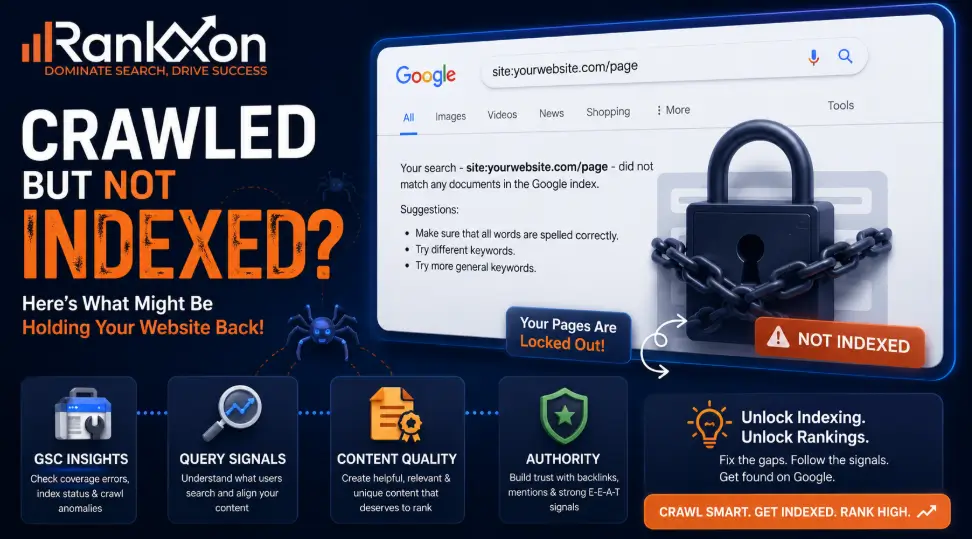
Your page is indexed. Google Search Console says it is on Google. You search your target keyword, and nothing shows. Not page one. Not page five. Sometimes not even for a phrase you wrote yourself.
That is the moment most site owners panic and start doing random SEO work. They publish more blogs. They buy weak backlinks. They request indexing again and again. None of that fixes the real problem if Google already knows the page exists but does not see it as the best result for any useful query.
Here is the truth: indexing is only entry into the database. Ranking is permission to compete. If your website is indexed but not ranking, your page has passed discovery, but it has failed relevance, quality, authority, internal context, or query competition.
Indexed Means Found, Not Chosen
When a website is indexed but not ranking, it means Google has found the page, processed it, and stored it in the index, but does not consider it strong enough to show for the queries you care about.
This can happen for a few reasons. Your page may not match search intent. The content may be too thin. Google may have selected another canonical URL. Your internal links may be weak. Your competitors may have stronger authority, clearer topical coverage, or better user satisfaction signals.
The fix is not to keep pressing “request indexing.” The fix is to find out why the page is not being served for real queries.
Crawling vs Indexing vs Ranking
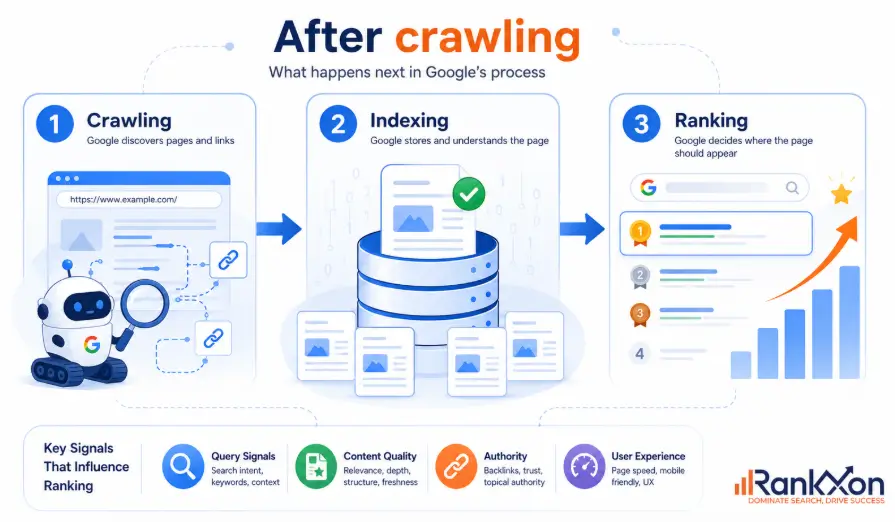
Crawling means Googlebot discovers and downloads your page. Indexing means Google analyzes the page, understands its content, and stores it in Google’s index. Ranking means Google chooses your page as one of the best answers for a specific search query.
These are three different stages. A page can be crawled but not indexed. A page can be indexed but not shown. A page can show for one weak query but fail for the main keyword.
That last part matters. A website does not rank in a general sense. It ranks for specific keywords, locations, devices, and search intents. So the right question is not “why is my site not ranking?” The right question is “which query should this page rank for, and why would Google choose it over the current results?”
First Diagnosis: No Impressions or Bad Rankings?
Open Google Search Console and check the page in the Performance report. Filter by exact URL. Then check queries, impressions, clicks, and average position.
If the page has zero impressions, Google is not serving it for meaningful queries yet. That points to weak relevance, poor internal context, canonical confusion, low authority, or a keyword target that is too hard for the site.
If the page has impressions but poor average position, Google understands the page but does not trust it enough or does not see it as better than current results. That points to content depth, search intent, freshness, links, page experience, or weak click appeal. To understand which signals actually matter, review the main ranking factors that influence visibility.
This one step saves weeks. No impressions and poor rankings are not the same problem.
The 8 Most Common Reasons Your Indexed Page Is Not Ranking
1. The Page Targets the Wrong Search Intent
This is the biggest reason indexed pages fail. The page talks about the keyword, but it does not solve the searcher’s real problem.
For example, if someone searches “website indexed but not ranking,” they are probably not looking for a broad SEO sales page. They want a diagnosis. They want to know what to check first in Google Search Console, whether this is normal, and how to fix it without wasting money.
Check the top ranking pages. Are they guides, forum threads, tool pages, checklists, service pages, or case studies? If Google is ranking diagnosis guides and your page is a sales pitch, you are fighting the wrong battle.
2. The Content Is Too Weak to Compete
Thin content can still get indexed. That does not mean it deserves rankings. Google can index weak pages because they exist, but ranking requires usefulness.
Weak content usually has surface level advice, no examples, no screenshots, no original experience, no tables, no clear next step, and no proof that the writer understands the problem.
Improve the page by adding a diagnostic process, real examples, GSC checks, competitor comparison, common mistakes, and a clear action plan. Do not just add more words. Add better decisions. This is where strong on page SEO matters, because the page needs better intent match, headings, content structure, and internal context.
3. Google Chose Another Canonical Page
Sometimes your page is indexed, but Google prefers another URL as the canonical version. This can happen with duplicate pages, similar service pages, tag pages, filtered eCommerce URLs, HTTP and HTTPS versions, or copied content.
Use URL Inspection and check the user declared canonical and Google selected canonical. If they do not match, find out why. Google may think another page is more representative, cleaner, stronger, or less duplicated.
Fix this with cleaner canonical tags, better internal links, merged duplicate content, redirects where needed, and stronger differentiation between similar pages.
4. Internal Links Are Not Passing Enough Context
A page can be indexed because it appears in the sitemap, but still be weak because the site structure does not support it.
Internal links help Google understand which pages matter, how topics connect, and what anchor text describes the page. If a new article has no internal links from relevant older pages, it starts with very little context.
For Rankxon, this article should naturally connect to technical SEO, Google ranking factors, page speed, mobile first indexing, HTTPS, product page SEO, and category page SEO. Use short anchor text such as technical SEO, ranking factors, page speed, mobile indexing, HTTPS SEO, product SEO, and category SEO.
5. Your Page Has No Topical Support
One isolated article rarely ranks in a competitive SEO topic. Google needs repeated evidence that your website covers the subject well.
If Rankxon wants to rank for indexing and ranking problems, this page should sit inside a technical SEO and Google ranking factors cluster. Supporting articles should cover crawled currently not indexed, discovered currently not indexed, canonical issues, sitemap errors, robots.txt mistakes, content cannibalization, and how to use Search Console.
This creates topical support. It also gives the main page internal links from closely related pages.
6. Your Site Has Weak Trust or Authority
Authority is not just a third party metric. It is the confidence Google has that your page, author, and website are worth showing over stronger alternatives.
New websites and low authority sites can rank, but they must choose easier keywords first. If every target keyword is dominated by Google, Reddit, Semrush, Ahrefs, Shopify, or old authority sites, your page needs a sharper long tail angle.
Build authority with relevant backlinks, expert mentions, strong author pages, original examples, case studies, client results, and consistent topical publishing. Do not waste time on random directory links that have no topical value.
7. Technical Issues Reduce Serving Quality
Even if the page is indexed, technical problems can reduce how confidently Google serves it. Check manual actions, security issues, robots meta tags, canonical tags, blocked resources, mobile usability, slow templates, JavaScript rendering, broken internal links, and sitemap freshness. If browser security warnings appear, check for a mixed content error before assuming Google is ignoring the page.
Use Google Search Console first. The URL Inspection tool shows crawl, index, and serving information. The Performance report shows whether the page gets impressions. The Core Web Vitals report shows page experience issues. The Manual Actions section shows serious policy problems.
Do not guess. Inspect the exact URL, not just the website homepage.
8. The Keyword Is Too Competitive for Your Current Site
Sometimes nothing is technically wrong. The page is simply not strong enough for the target query yet.
This is where many SEO plans become weak. They target big keywords too early, then blame indexing when the real issue is competition. A low authority website should target long tail, problem based, and specific queries first.
For this topic, Rankxon should target “website indexed but not ranking,” “indexed but no impressions,” “page indexed but not showing for keywords,” and “Google Search Console indexed but not ranking” before chasing broader terms like “why is my website not ranking.”
Google Search Console Checklist
Use this order before changing the page.
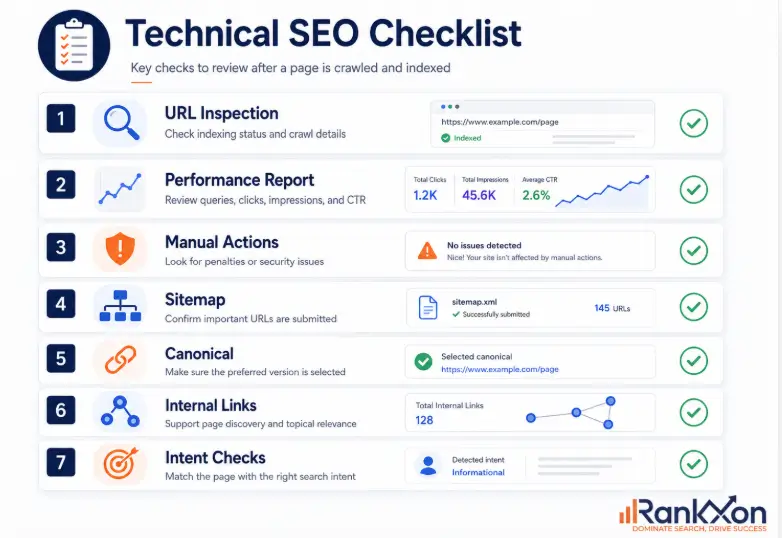
Check URL Inspection. Confirm the page is indexed, crawlable, allowed by robots, and not blocked by a noindex tag.
Check the canonical. Make sure Google selected the same URL you want to rank.
Check Performance by URL. Separate zero impressions from poor rankings.
Check queries. If Google shows the page for irrelevant queries, your content is not focused enough.
Check internal links. Confirm relevant pages link to this page with clear anchor text.
Check manual actions and security issues. If there is a serious problem, fix that before content work.
Check Core Web Vitals and mobile rendering. If the page feels slow on mobile, start with page speed before blaming content alone. Technical weakness may not be the main reason, but it can make a close ranking battle harder. For deeper crawl, index, rendering, and site structure issues, a full technical SEO review is usually the safest next step.
Symptom, Cause, Fix Table
| Symptom | Most Likely Cause | Where to Check | Best First Fix |
| Indexed but zero impressions | Weak relevance, no internal support, wrong keyword target, low authority | GSC Performance by URL | Rewrite around exact intent and add relevant internal links |
| Indexed but average position is very low | Content is understood but not competitive | GSC queries and SERP comparison | Improve depth, examples, structure, and authority signals |
| Indexed but not ranking for brand name | Weak brand signals, unclear homepage title, missing citations, new site trust issue | Search brand query and homepage signals | Strengthen homepage, author, business profiles, and brand mentions |
| Google selected different canonical | Duplicate or similar page confusion | URL Inspection canonical section | Consolidate pages, clean canonicals, improve unique value |
| Product or collection pages indexed but not ranking | Thin descriptions, duplicate products, filter URL confusion, weak internal links | GSC, crawl data, Shopify URL structure | Improve category copy, index rules, product schema, and internal links |
| Page ranks for wrong queries | Content topic is too broad or unfocused | GSC query list | Tighten headings, title, intro, examples, and entity coverage |
What to Fix First in the First 30 Days
Day 1 to 3: Confirm the issue in Google Search Console. Do not touch the page until you know whether the problem is zero impressions, poor ranking, canonical confusion, or irrelevant query matching.
Day 4 to 7: Fix technical blockers. Check noindex, canonical tags, sitemap inclusion, robots rules, mobile rendering, broken links, and manual actions.
Day 8 to 14: Rework search intent. Compare the current top results and ask what they answer that your page does not. Add the missing steps, examples, and decisions.
Day 15 to 21: Add internal links from relevant pages. Use short natural anchors. Link from pages that already get traffic or sit close to the topic.
Day 22 to 30: Build external trust carefully. Look for relevant guest posts, expert quotes, citations, niche directories, partner mentions, or case study links. Skip spam links. They are not a shortcut.
Special Cases: New Websites, Shopify Stores, and Local Businesses
For new websites, being indexed but not ranking is common. The fix is not to publish random content daily. Build topical clusters, target low competition long tail queries, improve internal links, and earn a few real links from relevant sources.
For Shopify stores, the issue often comes from weak collection pages, duplicate product descriptions, filter URLs, thin category copy, missing product schema, and poor internal linking from collections to products. For ecommerce sites, the first fix is often a cleaner category SEO structure before publishing more product pages.
For local businesses, the website may be indexed but lack local trust. A weak or inactive Google Business Profile can also limit local visibility, even when the website itself is indexed. Add clear service areas, NAP consistency, a verified Google Business Profile, local citations, review signals, location pages with real usefulness, and internal links from service pages to related local pages.
For small companies, this connects directly with local SEO because Google needs proof of location, trust, and service relevance.
How to Make This Page Eligible for AI Overviews and Chatbots
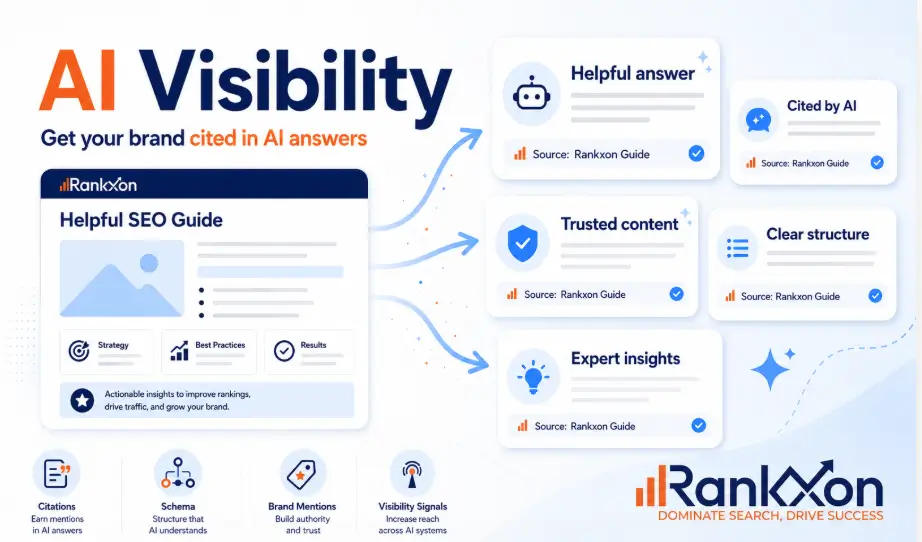
AI search systems pull from pages that are clear, useful, and easy to extract. Use this AI search checklist to make the page easier for Google AI Overviews, ChatGPT, Gemini, and Perplexity style systems to understand. This page should include direct definitions, short answer blocks, tables, steps, examples, and specific diagnostic language.
Add an answer first paragraph below each major heading. Use schema where relevant, especially FAQ schema if it matches the final page. Include author credibility, updated date, sources, and original process based advice.
Do not write for AI by stuffing terms. Google’s own generative AI guidance says foundational SEO still matters, and that unique, useful, non commodity content is more important than hacks. Treat AI visibility as a result of clarity and trust, not a separate trick.
FAQs
Why is my website indexed but not ranking?
Because Google has found and stored the page, but does not see it as the best result for your target query. The usual causes are search intent mismatch, weak content, low authority, poor internal links, canonical issues, or high competition.
Can a page be indexed but get no impressions?
Yes. This usually means Google is not serving the page for meaningful queries yet. Check Google Search Console by exact URL. If impressions are zero, focus on relevance, internal links, keyword difficulty, and canonical signals.
Does requesting indexing improve rankings?
No. Requesting indexing can help Google revisit a URL, but it does not make the page rank higher. If the page is already indexed, focus on content quality, query intent, internal links, and authority.
How long does it take for an indexed page to rank?
It depends on competition, site authority, content quality, and internal links. Some pages rank in days. Others take months. If a page has no impressions after several weeks, diagnose the page instead of waiting blindly.
Is SEO dead or evolving in 2026?
SEO is evolving. Google Search, AI Overviews, and chatbots still need clear, useful, trustworthy content. The weak version of SEO is dying. Better content strategy, technical clarity, entity signals, and real experience matter more now.
What is the 80 20 rule of SEO?
In this case, the 80 20 rule means most ranking gains usually come from a few high impact fixes: intent match, better content, internal links, technical eligibility, and authority. Do those before wasting time on minor SEO tweaks.
What is the difference between crawling, indexing, and ranking?
Crawling means Google discovers and downloads a page. Indexing means Google processes and stores it. Ranking means Google chooses the page as a relevant result for a specific query.
Conclusion
An indexed page is not a winning page. It is only a known page. To rank, the page must deserve to be served for a specific query.
Start with Google Search Console. Separate zero impressions from poor rankings. Then fix the real layer that failed: technical eligibility, intent, content quality, internal links, topical support, authority, or competition.
If Rankxon publishes this page as a practical diagnostic guide instead of a generic SEO article, it has a real chance to compete. The page should not promise magic. It should give users the exact order of fixes. That is what the current SERP is missing.
